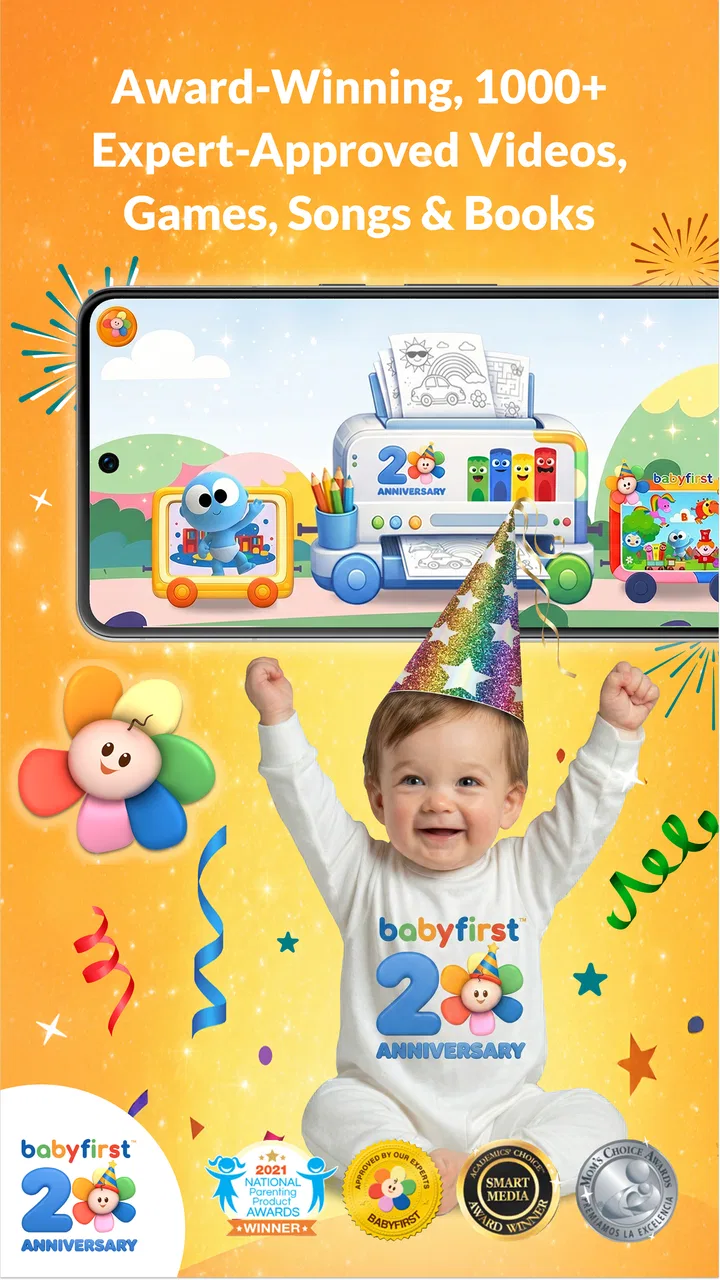
First™ | Fun Learning For Kids
- 3.9
- Rating
- 1.00M
- Installs
- Free
- Price

 Analysis by App-foxy
First™ | Fun Learning For Kids is the kind of early-learning app I would keep on a family tablet for short, supervised activities rather than treat as a complete teaching program. My overall impression is positive: it gives babies, infants, and toddlers a simple way to explore educational content, while families can use it as a calm change of pace during ordinary routines. The important qualification is that its value depends heavily on how an adult introduces it. Left alone, a young child may simply tap through whatever looks interesting; used with a parent or caregiver, it can become a useful prompt for talking, naming, noticing, and repeating.
That distinction shaped my experience with the app. I did not see it as a replacement for books, songs, blocks, drawing, or real conversation. Those activities offer richer physical and social feedback. Instead, I found the app most helpful when I needed a compact activity that could fit into a few spare minutes: while waiting for an appointment, settling down before a nap, or giving a child a gentle transition between play and another part of the day. The free download makes trying it easy, although optional purchases can change how much material a family can access.
What First™ does well in everyday family use
The strongest part of First™ is its accessible starting point. It is designed for very young children and their families, so the basic appeal is immediate rather than academic or complicated. A toddler does not need to understand menus, accounts, lessons, or a long-term course structure before beginning. That matters because early learners often lose interest when an app asks too much from them before showing something engaging.
You May Also Like

 Blood Strike: 2.5 Anniversary
Blood Strike’s Loadouts Turn Every Drop Into a Tactical Gamble
A close look at Blood Strike’s custom loadouts: how fast access to signature weapons reshapes its battle royale rhythm, rewards preparation, and narrows the gap between fights.

 Pandora - Music & Podcasts
Pandora’s Music Is Easy to Start, but Harder to Recover
Pandora’s strength is its low-effort path from a seed to a station. Its weak spot is how much confidence it asks you to place in connection, setup, and quiet recovery.

 8 Ball Pool
 Is Built on Rivalries, Rematches, and Routine
A close look at the rivalries, rematches, shared routines, and unanswered safety questions that turn a quick pool match into a persistent mobile community.

 Samsung Music
’s Quiet Strength Is Playing What You Already Own
Its reach comes less from spectacle than from dependable access to a personal library. That simplicity is both the app’s strongest retention engine and its ceiling.

 AccuWeather: Weather Radar
AccuWeather Review: A Quick, Clear Forecast for Everyday Decisions
For everyday plans, the best forecast is the one you can understand quickly. AccuWeather makes rain timing, radar, and local conditions easy to act on, with a few trade-offs.

 Hill Climb Racing
Why Hill Climb Racing Still Turns Crashes Into One More Run
A tiny car, a bumpy hill and one more upgrade: Hill Climb Racing keeps resurfacing because its simple chaos makes every near-miss feel personal.
More From Our News Desk



I also like the fact that the app belongs to the education category without presenting itself as homework. For a young child, learning is often a matter of hearing a word repeatedly, recognizing a familiar object, following a simple visual cue, or making a connection between an image and something in the real world. First™ fits that early stage better than apps built around quizzes, scores, or formal progress tracking. It feels more suitable for exploration than evaluation.
In practical terms, I would use it in small portions. A five-minute session can work well when a child is alert and curious. A longer session is not automatically better, especially for babies and toddlers who may become restless or start tapping without paying attention. My most useful habit was to pause the activity and connect it to the room: if the app presented something familiar, I would point to a similar object nearby; if it encouraged a sound or word, I would repeat it naturally instead of rushing to the next screen.
The app works best as a conversation starter, not as a digital babysitter. That is more than a general parenting preference. It changes what the child gets from the experience. A caregiver can turn a passive-looking screen moment into a small language exercise by asking, “Where is yours?” or “Can you find the same color?” The app supplies the prompt, but the adult supplies context, patience, and feedback.
Another practical strength is its broad age positioning. The same household may have a baby beginning to notice images and sounds, an older toddler practicing recognition, and a sibling who wants to participate. The activities will not necessarily suit every child equally, but the family-focused design makes shared use more realistic than an app aimed at a narrow school level. I found that a parent can adjust the interaction simply by changing the questions and expectations rather than insisting that every child complete the same task.
First Media US is the developer, and the product has been available since September 13, 2012. That long presence gives it a more established feel than a newly launched experiment, while the current version, 7.6.2.0, shows that the app has continued to receive updates. On Android, it requires Android 6.0 or later, so families using an older device should check compatibility before planning around it.
Small routines where it makes the most sense
One realistic use is a waiting-room routine. I would open the app before leaving home, choose a quiet place for the child, and agree with myself that the session is only for the wait rather than an unlimited distraction. When the appointment is called, the device can be put away without making the app feel like the center of the day. This works particularly well when the child is tired but not ready to sit with a book, or when carrying several physical toys is inconvenient.
A second use is a shared morning activity. Instead of handing over the phone while preparing breakfast, I would sit nearby for a brief exploration and then move from the screen to real objects. If the child encounters a familiar theme, I can continue it with items on the table or around the kitchen. The useful insight here is that the app can act as a bridge: it is not the complete activity, but it can help a caregiver decide what to talk about next.
It can also help with repetition. Young children often want to hear or see the same thing several times, and adults may run out of patience with repeating a book or song. A digital activity can provide another form of repetition, but I would still watch the child’s response. Repetition is productive when the child is noticing more each time; it becomes empty tapping when the child is merely trying to reach the next item.
For families with more than one child, taking turns is another useful approach. I would give one child the role of tapping and the other the role of naming or pointing, then switch. That makes the app less solitary and gives an older sibling a simple way to participate without turning the session into a lesson. It also exposes one limitation: the app itself may not create the social structure, so the adult has to provide it.
Where the experience falls short
The biggest weakness is not that the app is difficult; it is that simplicity can become shallow if a family expects a complete learning pathway. I would not choose it as the only educational resource for a child. It does not replace the progression, tactile practice, and personal feedback that come from a caregiver, teacher, physical toys, or carefully selected books. Parents looking for detailed developmental goals or a structured curriculum may find it too light.
There is also a difference between an app being easy to start and being equally useful for every age in its stated audience. A baby may respond to visual or audio stimulation without understanding the learning purpose. A more verbal toddler may want clearer challenges or more control. This means parents should judge the child’s engagement rather than assume that the broad age range guarantees a perfect fit. If a child repeatedly loses interest, the answer may be to change the activity, not to keep extending screen time.
The free price is helpful for testing the experience, but in-app purchases range from $0.99 to $74.99 per item. That is a meaningful consideration for families. I would explore the free portion first, decide whether the child actually returns to it, and only then consider buying anything. The highest-priced option is especially important to treat cautiously because a family may assume that an educational app should be inexpensive simply because it is aimed at young children. I would involve the account holder in every purchase decision and avoid presenting paid material as a reward the child can request directly.
Another point of friction is that a young child cannot reliably manage access boundaries. If the device is handed over without preparation, the child may move away from the intended activity or encounter purchase prompts. I would open the app myself, check what is visible, and keep the device within reach of an adult. This is not a criticism unique to First™; it is a practical reality of using any interactive app with a toddler. Still, it affects whether the experience feels relaxed or requires constant intervention.
I would also skip it for a child who needs active physical movement at that moment. If the child is climbing, running, or frustrated by sitting still, an app is unlikely to solve the underlying need. A song with actions, a walk, stacking cups, or a picture book may be a better choice. First™ is most effective when the child is ready for a short, focused exchange, not when the screen is being used to force calm.
How it compares with familiar alternatives
Compared with a traditional picture book, First™ offers a more responsive and visually engaging format, but the book usually gives the adult greater control over pace and conversation. With a book, I can stop anywhere, point to a detail, invent a question, or return to a favorite page without worrying about navigation. The app is more convenient when I want a compact activity that feels different from the usual bedtime or reading routine.
Compared with video content, the app has a stronger case for participation because the child can interact rather than only watch. That does not automatically make every minute more educational, but it gives the caregiver more openings to ask the child to identify, repeat, or compare something. Video may be easier when an adult needs a completely hands-off break, whereas First™ makes more sense when the adult can remain involved.
Compared with formal preschool-learning platforms, First™ feels less demanding and less measurable. That is an advantage for a baby or younger toddler who is not ready for tests, levels, or performance pressure. It is a disadvantage for parents who want visible milestones, systematic skill progression, or a clear record of what the child has practiced. I would choose this app for gentle discovery and choose a more structured alternative when the child is ready for deliberate instruction.
Physical toys remain the strongest alternative for children who learn through touch and movement. Blocks, sorting objects, puppets, and crayons encourage coordination in ways a screen cannot. My preferred balance would be to use First™ as one small option in a rotation, then follow it with a hands-on activity related to the same idea. That approach prevents the app from becoming isolated entertainment and gives the child a chance to transfer recognition into real-world action.
Who should use it, and who should pass
I think First™ is a good match for parents and caregivers who want a gentle educational option for babies, infants, or toddlers and are willing to sit with the child for at least part of the session. It is also a sensible choice for families who need an occasional portable activity and prefer interactive learning over simply playing a video. The Everyone content rating makes it suitable for a broad family audience, though an adult should still decide whether a particular activity fits the child’s maturity and mood.
The app is especially useful for a child who enjoys repeating familiar material, responds to bright interactive content, and can benefit from short prompts before moving to real objects or conversation. It may also suit grandparents, babysitters, or relatives who want an easy shared activity without preparing a full lesson. The key is to use it as a tool for interaction, not as proof that a child is progressing because they can tap successfully.
I would recommend skipping it if you want a complete preschool curriculum, detailed assessment, or a strictly offline learning routine. I would also look elsewhere if your child becomes overstimulated by screens or refuses to engage with anything that is not physical. Families with very limited device storage or older hardware should check whether their phone or tablet meets the Android requirement before investing time in setup.
The audience numbers suggest that the app has reached a substantial family user base: it has more than one million installs, an average rating of 3.9 from around 8,100 ratings, and about 1,600 written reviews. I read that combination as evidence of real interest rather than a guarantee of universal satisfaction. A rating below four stars fits my own conclusion: the core idea is useful, but expectations, device habits, purchase choices, and adult involvement will strongly affect the experience.
My verdict after using it
First™ | Fun Learning For Kids earns a place as a supporting tool for early learning, not as the main teacher. I appreciate its approachable design, its suitability for shared family moments, and its ability to turn a few spare minutes into an opportunity for naming, noticing, and repetition. The free entry point makes it reasonable to try, while the broad audience makes it flexible for households with very young children at different stages.
My reservations are equally clear. The learning can feel limited without an adult adding questions and real-world follow-up, and the in-app purchase range means parents should explore carefully rather than assume every part is included. It is also the wrong answer for children who need movement, tactile play, or a more organized educational sequence.
If I were recommending it to a friend, I would say: install it, test it during a short supervised session, and judge the child’s response rather than the app’s promises. Keep a book or hands-on activity ready, set a clear stopping point, and use what appears on screen as a reason to talk together. With that approach, First™ is a worthwhile free education app for occasional family use. Without that involvement, it risks becoming just another tapping activity, and there are better choices for families seeking deeper learning or a fully structured program.
FAQs for First™ | Fun Learning For Kids
01What is First™ | Fun Learning For Kids?
First™ | Fun Learning For Kids is an educational app designed to help young children learn through playful, interactive activities. It may introduce early concepts such as letters, numbers, shapes, colors, vocabulary, and basic problem-solving, depending on the available content. The app is intended to support learning at home, while keeping sessions simple and engaging for children who are beginning their educational journey.
02Is First™ suitable for my child’s age and learning level?
Before downloading First™, parents should check the age recommendation shown on the App Store or Google Play listing, since the activities are generally aimed at preschool or early-learning children. Every child develops differently, so some lessons may feel easy for one child and challenging for another. Adult supervision is recommended, especially when introducing the app for the first time.
03Does First™ require an internet connection to work?
The internet requirements can depend on the device, operating system, and the specific activity being used. Some learning content may be available after installation, while updates, new lessons, account features, or multimedia resources could require an internet connection. Parents should open the app once while connected to Wi-Fi and verify which features remain accessible offline before allowing regular use.
04Is First™ | Fun Learning For Kids safe and free from advertisements or in-app purchases?
Parents should review the app’s current store description, privacy policy, and purchase settings before downloading. Educational apps can differ in how they handle advertising, subscriptions, premium lessons, and data collection. To avoid unexpected charges, enable parental controls, protect payment settings, and test the app yourself. Also check whether the experience is appropriate for your child’s privacy and age.
05What are the main benefits and limitations of using First™?
First™ can make early learning more enjoyable by combining short activities, visual feedback, and interactive practice instead of relying only on worksheets. It may help children build familiarity with foundational concepts and develop confidence through repetition. However, it should complement—not replace—conversation, reading, creative play, and guidance from parents or teachers. Screen time should remain balanced and age-appropriate.
Pros
- Playful activities make early learning feel like a game.
- Covers useful basics such as letters
- numbers
- shapes
- and colors.
- Simple navigation is suitable for preschool-age children.
- Bright visuals and friendly characters help maintain attention.
- Short activities fit well into brief learning sessions.
Cons
- Some content may be too easy for children who already know the basics.
- Parents may need to supervise screen time and activity choices.
- The most engaging lessons may require a paid subscription.
- Repeated exercises can become predictable after extended use.
- Performance may vary on older devices with limited storage.

First™ | Fun Learning For Kids
Gallery